Import Leads Confirmation Dispatch Rehash Reschedule Follow Up Projects Contacts Customers Dialer Calendar Search Progress Panel
Home Improvement Software - Projects Manager
When a lead was sold, the Home Improvement Software converts it into a project. Once a project, the HIS will help selecting contractors to perform the job, will follow up on proposals and expanses, scan and keep relevant documents such as the contract attached to the project, calculate commissions, flag late payments and more. Scroll down (Or click on Next >>) to see the projects module.
See how the Home Improvement Software manages projects
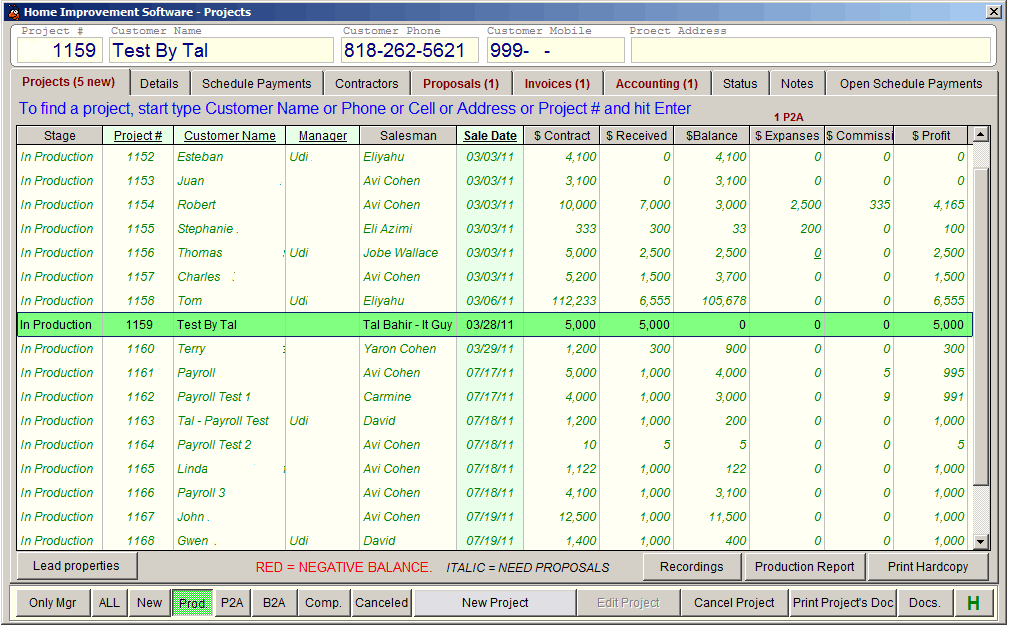
Home Improvement Projects - The main projects screen. It is a comprehensive view of the company's projects. In here you can learn in a glance where there are challenges and attention is required. You'll see project in negative balance in red, and positive balance in green.
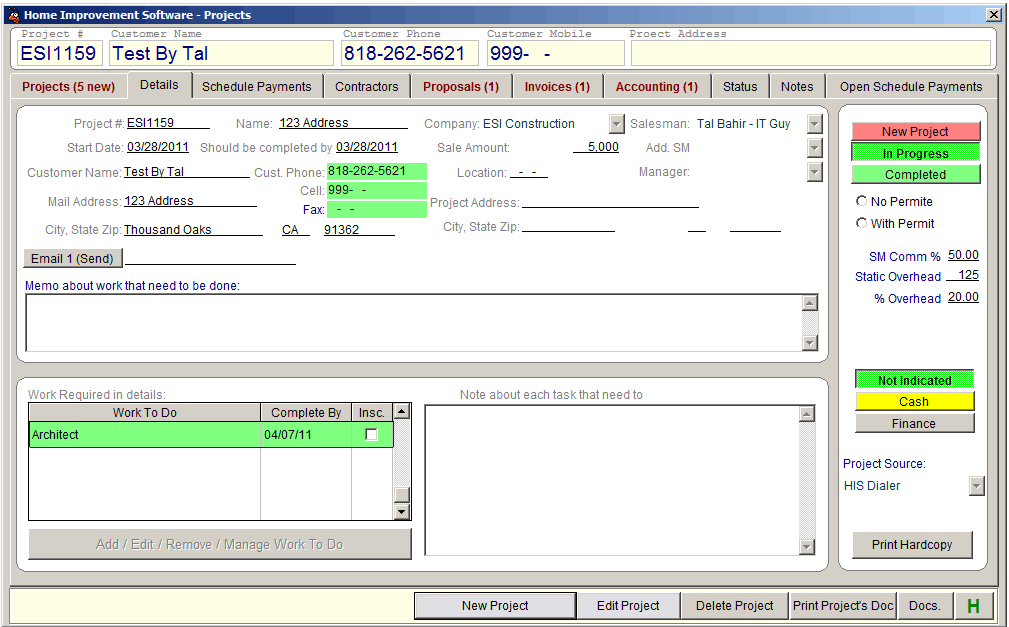
Home Improvement Project - The Details. On the screen you can see more details about each project. You'll see here customer information, work needed, sale amount, salesman commission, company overhead and more.
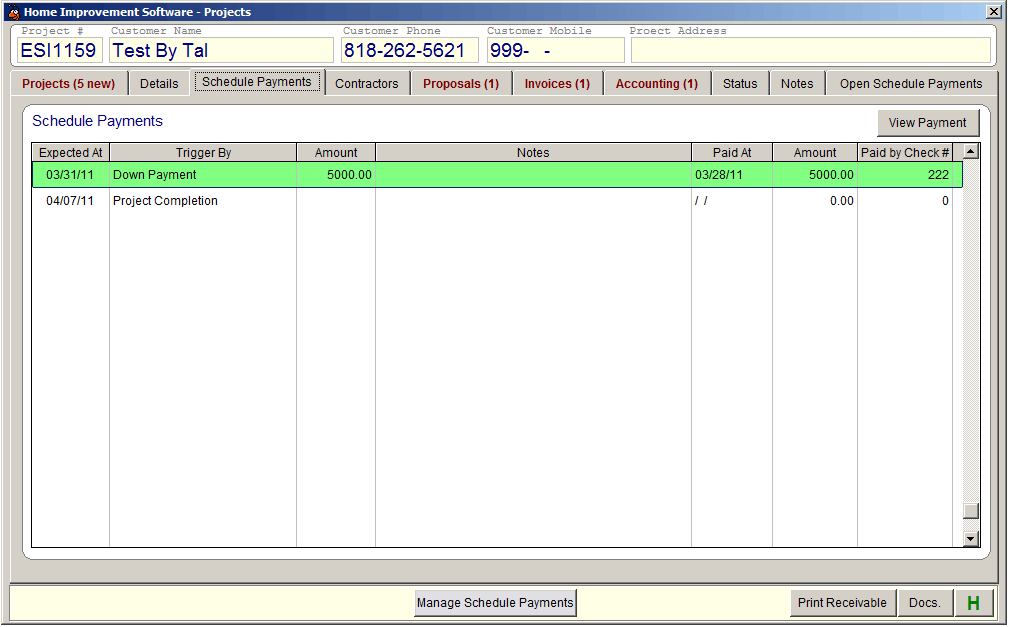
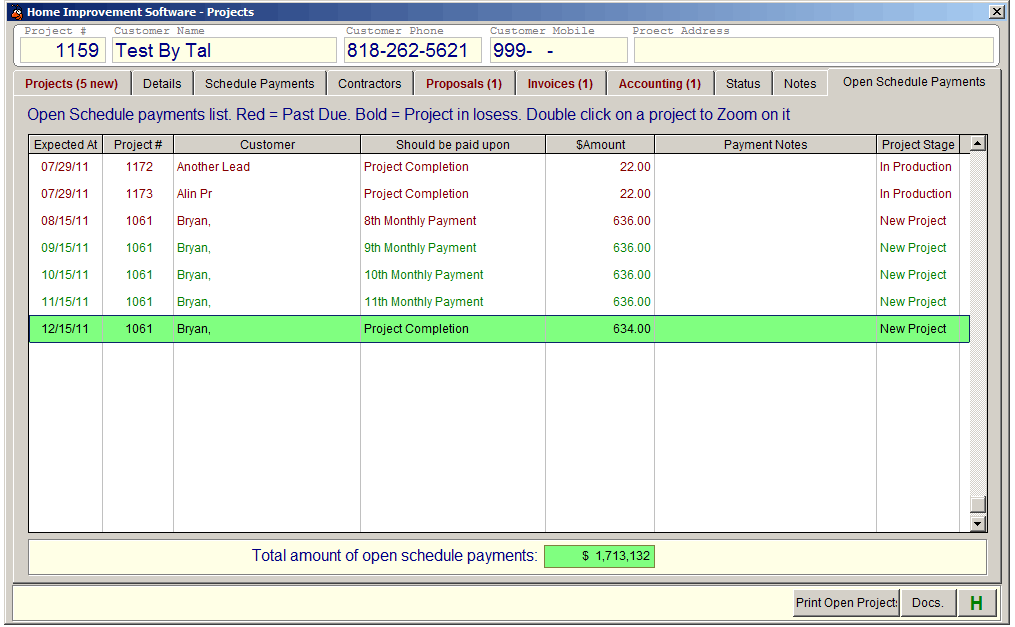
Home Improvement Project - Schedule Payments. This is where you see all schedule payments of a project. Schedule payments are use as a very important flag in the HIS - If a schedule payment is not paid on time - it means that there is a challenge with this project. The HIS shows all schedule payments in the Open Schedule Payments screen, the over due ones in red, and you can easily see where you may have problem and act to correct it.
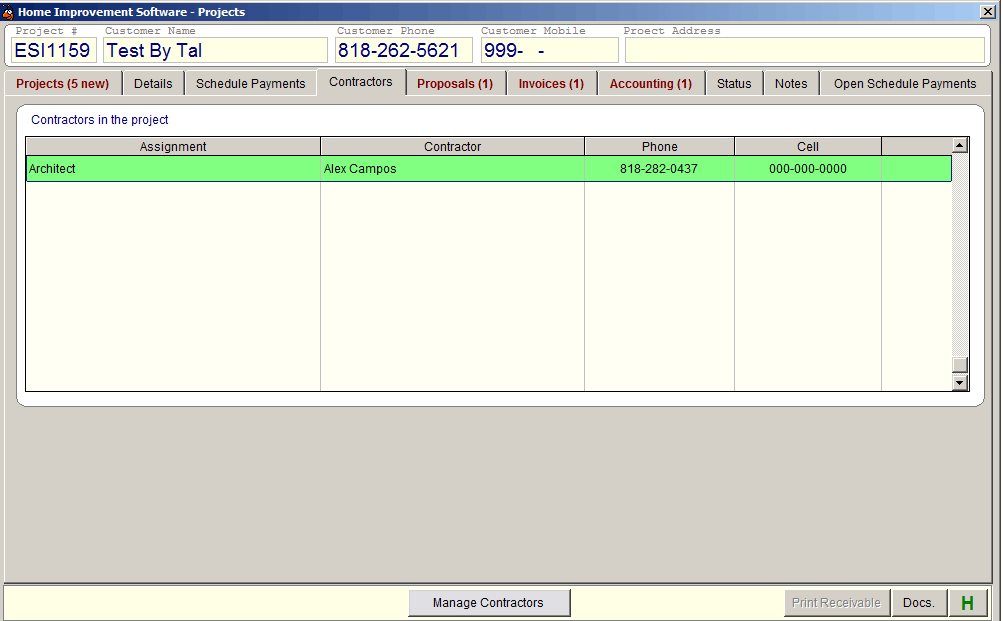
Home Improvement Project - Contractors. Here you can see and select which contractor is to execute this project. When selecting contractors, the Home Improvement Software shows you all contractors in your list that are doing the type of work needed in this project, and you can select the ones you like for the job.
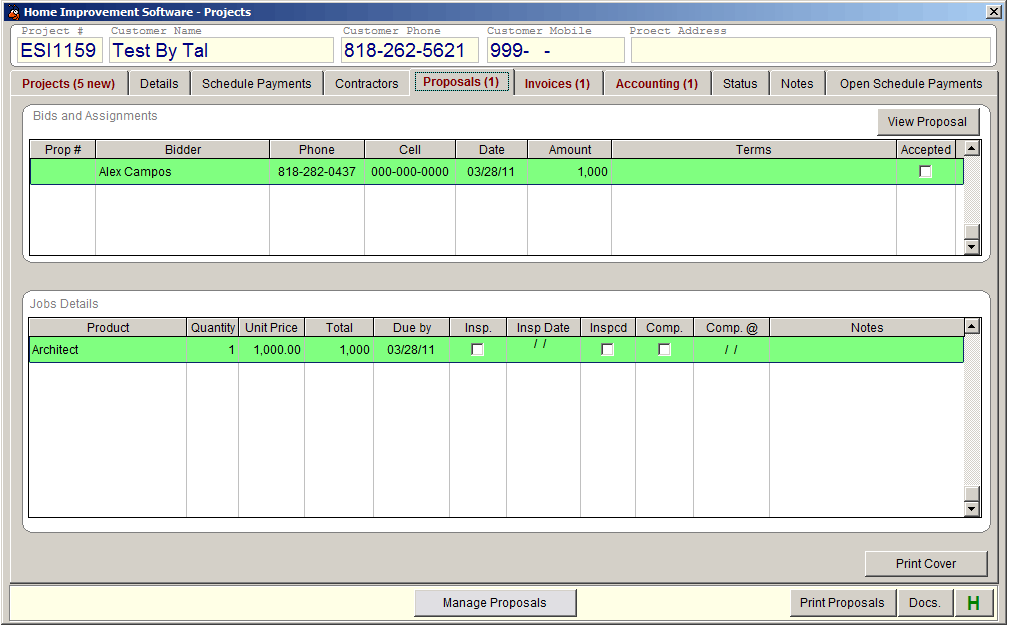
Home Improvement Project - Proposals. This is where the Home Improvement prepare proposals (That is right - the HIS does it automatically) for the contractors you've selected. Once you accept a proposal, it will convert into a task that the choosend contractor must complete at a specific time. The Home Improvement Software shows a list of such tasks - that is what your contractors should do for you and when they should complete their tasks. When you see a task that is neat the expected completion date, you can contact the contractor, ask if everything is OK, if help needed ETC so the job will be completed on time.
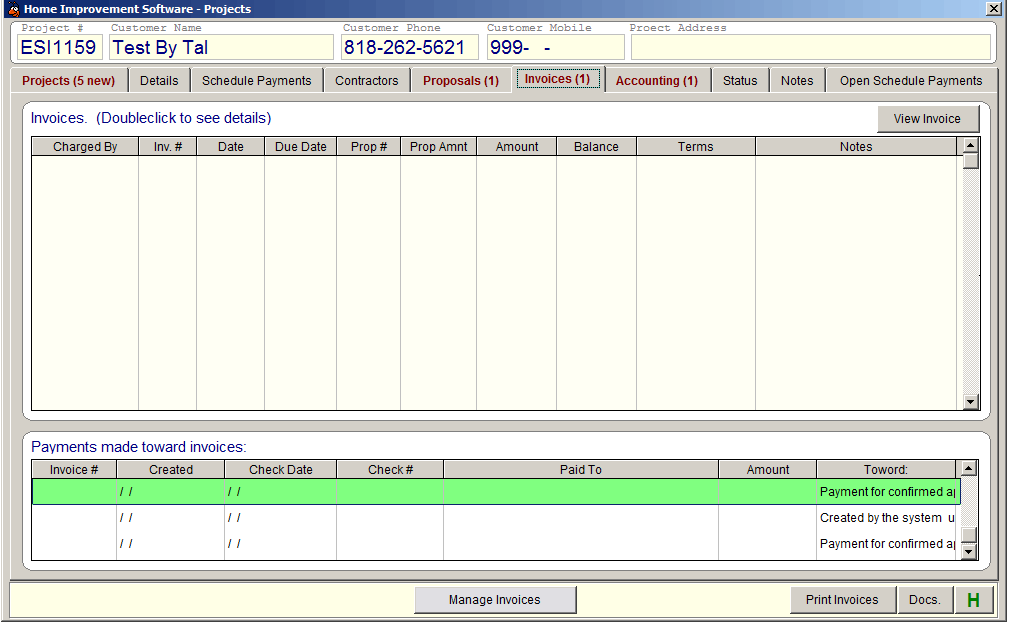
Home Improvement Project - Invoices. This where the Home Improvement keeps invoices for each project. When a contractor submit an invoice, it get in here. However, it does not means that the contractor gets paid. Instead, the Home Improvement Software shows a list of invoices needed to be approve, and only the approved ones will be included in the payments to create list.
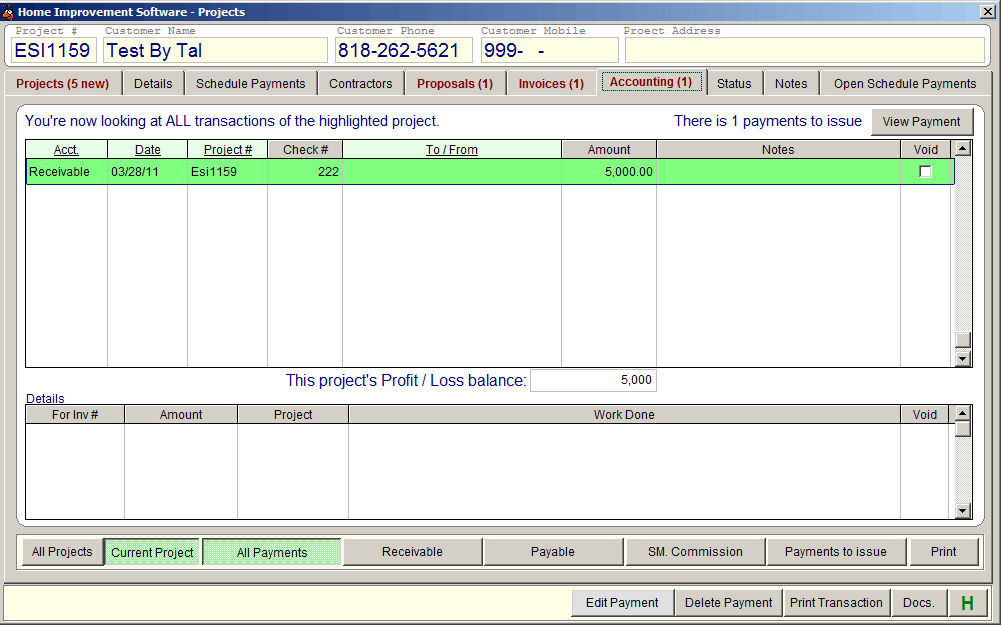
Home Improvement Project - Accounting. All accounting records of the projects are here. Note at the button of the screen, you can see different list: All Projects, Current Project, All Payments, Payable, Receivable, Commission ETC. This screen displays total for each list at the bottom under the amount column, so you can know in a snap what your business situation.
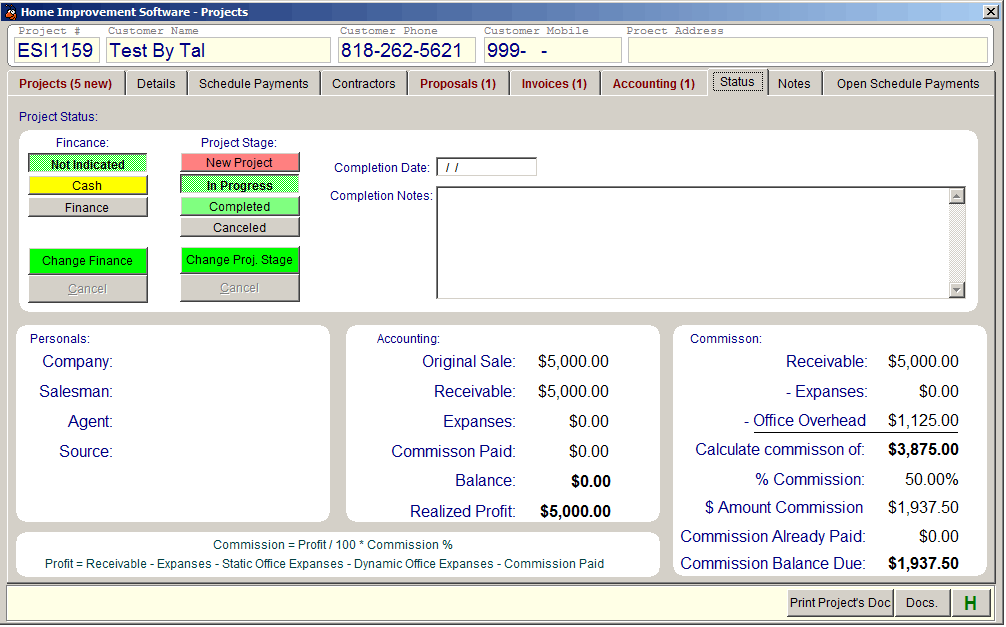
Home Improvement Project - Status. This is the status and accounting summary of a project. Again, in a snap, real time, you can see here accounting information such as balances, expanses, commission ETC.
Home Improvement Project - Open Schedule Payments List. One of most important flags the Home Improvement Software generates and maintain. In this list you see at real time all unpaid schedule payments in your business. It gives you answer for two major business questions:
- How much money you have outside, in the pipe line
- Where you have challenges that may develop into problems.
The answer for the challenges is simply by painting red over due transactions. When a schedule payment is not paid on time, it indicates that there is a challenge in that project, so the home owner did not pay. The Home Improvement Software helps you to detect such challenges and take care of it before it become a problem.
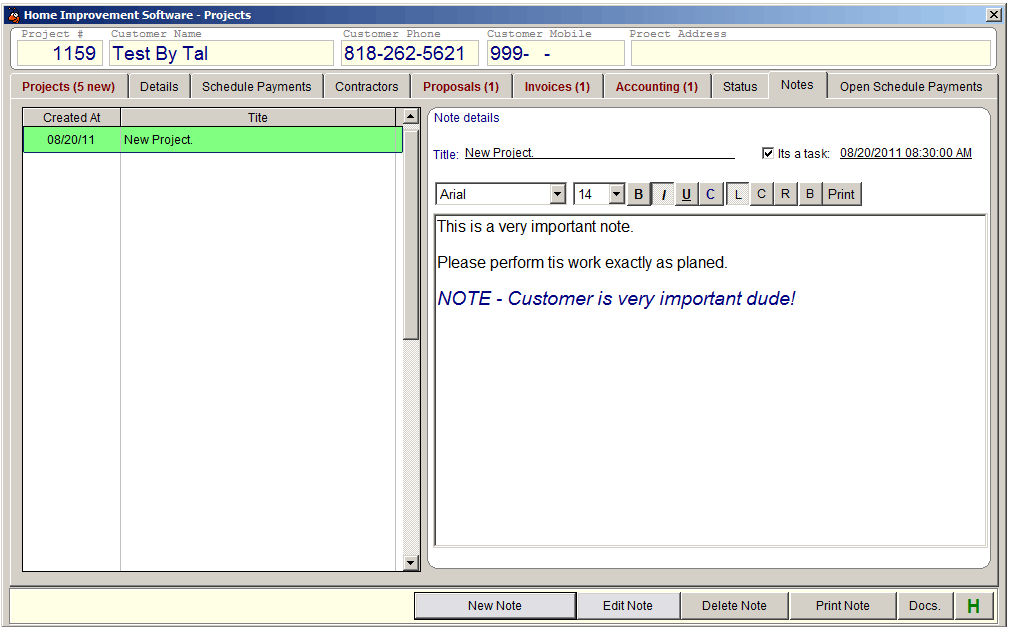
Home Improvement Project - Notes. The Home Improvement Software allows you to write virtually unlimited number of notes for each project, and is capable to assign such note as a task so it will show as a To-Do in the company's calendar.